File size: 119.4 MB
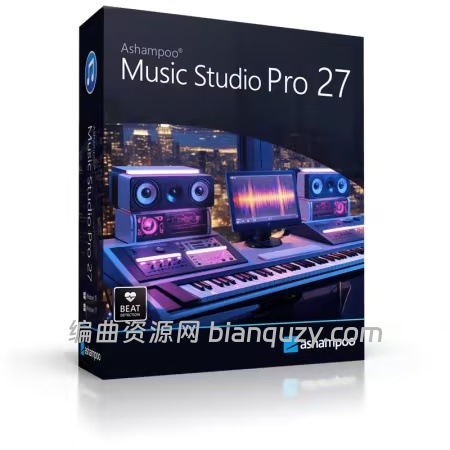
Ashampoo Music Studio Pro 27
支持录制 Spotify、Deezer、亚马逊音乐等主流流媒体音源;可将音频转码为各类兼容格式,制作派对混音串烧、适配任意音频设备的播放列表;规整本地曲库、打印光盘封面、翻录 CD 音频等功能一应俱全。
核心功能一览
- 音频编辑、曲库整理、光盘刻录一体化
- 按需制作多场景混音串烧曲目
- CD/DVD 封面设计工具
- 多格式播放列表生成
- 高速便捷 CD 音轨翻录
- 音频文件自动重命名
- 从视频中提取纯音频轨道
- 音频文件与元数据编辑工具
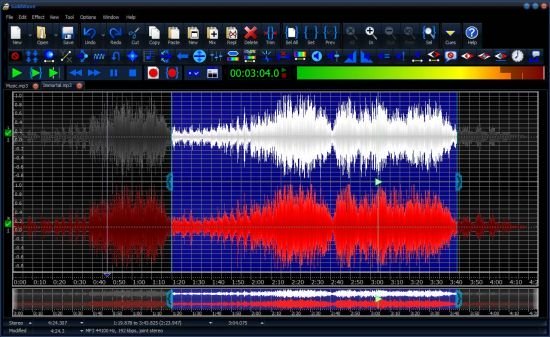
- 音频编辑器:裁剪片段、调节音量、静音处理
智能曲目信息识别
针对 Spotify 等流媒体平台,软件可自动识别歌手、歌曲名并完成文件命名;面对浏览器这类信息模糊的音源,程序会分析窗口标题,自动剔除无关文字,最终输出命名清晰规整的音频文件。
CD 翻录,曲目信息零出错
更智能省心的录音机制
无论是临时即兴录音,还是搭配麦克风用于微软 Teams、Zoom 等会议软件,均可稳定流畅运行。
全新优化录音列表,整洁易管理
系统需求
More precision, comfort, and music for you! Ashampoo Music Studio is the Swiss Army knife for your music. It offers a comprehensive set of tools for easy editing, producing, trimming, mixing and organizing of music and audio files.
With the powerful features of Ashampoo Music Studio Pro 27, you’ll get the best out of your music collection! Eight handy modules cover pretty much everything music lovers need on a computer. Whether you want to edit, burn, or cut your favorite songs–with Ashampoo Music Studio Pro 27, you can do it quickly and easily. Record Spotify, Deezer, Amazon Music, and much more! Convert to other compatible formats, create mix tapes for the next party or playlists for any audio device! Bring order to your music collection, print covers, rip CDs, and much more!
Edit, organize, and burn music
Create mixtapes for various occasions
Cover designer for CD and DVD cases
Create playlists in various audio formats
Fast and easy CD ripping
Automatic renaming of music files
Extract audio tracks from videos
Tools for editing audio files and metadata
Audio editor for cutting, volume adjustment, and muting
Title detection that thinks for you
When recording music streams, keeping things organized is key–and that’s exactly what Music Studio delivers. For services like Spotify, the software automatically recognizes artist and song title and names your files accordingly. For less clear-cut sources, like browser windows, it analyzes the window title and auto-skips irrelevant parts. The result? Just your music–clearly named.
CD ripping with always correct titles!
Looking to archive your audio CDs or access their music digitally? Music Studio recognizes your CDs more precisely than ever. It automatically compares multiple database entries, merges them intelligently, and provides the best possible metadata for your collection. On top of that, Ashampoo Music Studio reads CD-Text directly from disc for more complete information without any manual editing.
Simply smarter recording
Recording audio on Windows can be tricky, especially when a recording device is muted. Music Studio detects muted devices and automatically unmutes them during recording. Once finished, it will restore their original state so you don’t have to do a thing. It’s the perfect solution for spontaneous sessions and reliable recordings and also works flawlessly with your mic in MS Teams, Zoom & more.
Cleaner, smarter recording list
Got a long list of recordings? No problem! The new and improved recording list in Music Studio displays all key information at a glance and feels much more streamlined. You can now sort your recordings by name, date, or duration–ascending or descending. That way, you’ll always find exactly what you’re looking for, no matter how big your collection is.
System Requirements: Windows 10, 11
![水果 Pack FLEX Image-Line FL Studio Producer Edition v26.1.7.5653 [WiN]](http://www.bianquzy.com/wp-content/uploads/2026/10/Pack-FLEX-Image-Line-FL-Studio-Producer-Edition-v26.1.7.5653-WiN-.jpg)