File size: 1.68 GB
一、产品整体定位
分为三大形态:独立桌面程序 SoundApp、ARA2 深度宿主插件、轻量化 VST3/AU/AAX 一键修复插件,一站式解决播客、短视频、采访、影视、混音的各类音频瑕疵,新手一键可用,专业工作室也能满足精细修复需求Boris FX。
二、八大专项降噪修复插件(剪辑 / DAW 通用)
- PopRemover 爆破音消除
专门清理人声 P/B 气流爆破杂音,只去除冲击噪音,完整保留人声主体,适配播客、旁白录音。
- RustleRemover 领夹麦摩擦降噪
消除衣领、衣物摩擦麦克风产生沙沙杂音,户外采访、vlog 必备。
- EchoRemover 房间混响 / 回声去除
自动剥离录制空间带来的残响回声,解决空旷房间人声发虚、距离感过重问题,人声干净自然不生硬。
- AudioDenoise 底噪 / 电流嗡声清除
去除空调底噪、设备 60Hz 交流嗡嗡、环境白噪,复杂混合噪音也能精准分离,不削弱人声细节。
- TrafficRemover 交通噪音消除
智能识别并过滤窗外车流、公交、卡车背景噪音,室内外采访都适用。
- WindRemover 风噪抑制
专门处理户外录制的气流风噪,搭配防风罩使用效果更佳,仅剔除风声,保留人声完整。
- Levelmatic 自动音量均衡
一键平衡音频动态,统一忽大忽小的人声响度,标准化播客、短视频音量。
- ClipRemover 削波失真修复
修复录音过载产生的破损失真,抢救爆音素材。
三、全能人声优化:Voice Enhance
四、SoundApp 独立桌面程序(Win+Mac 双端)
- Music 4 Stems 乐曲四分轨
成品歌曲一键拆分:人声 / 鼓组 / 贝斯 / 其余乐器(吉他 / 合成器),用于 Remix、重新编曲、提取伴奏。
- Voice 2 Stems 人声伴奏分离
单独提取干净干人声或纯卡拉 OK 伴奏,适合采样、翻唱二次创作。
- Cinema 4 Stems 影视四分轨
成片视频音频拆分为:对白 / 背景音乐 / 音效 / 环境氛围音,方便替换版权音乐、单独提取台词。
五、2026.5 新版重磅:SoundApp ARA2 插件
- 完整读取整条音频上下文,分离精度远超普通实时 VST 插件;
- 音频缓存机制,切换模型秒加载,无需重复运算;
- 非破坏性工作流,全程不用导出导入来回切换软件。
六、Windows 硬性系统要求
- 操作系统:Windows 10 / Windows 11 仅 64 位,32 位系统不支持
- CPU:2.7GHz Intel i5 及以上处理器
- 内存:插件最低 8GB;SoundApp 独立程序推荐 16GB
- 硬盘空间:插件占用 450MB,SoundApp 建议预留 10GB 以上空间
- 硬件:支持 NVIDIA/AMD 显卡 GPU 加速,大幅提升 AI 运算速度
七、Mac 配套系统要求补充
- SoundApp 独立程序:macOS 14.0+;暂未原生 Apple Silicon,需 Rosetta2 运行
- VST/AU/AAX 插件:macOS 12 Monterey 起,原生适配 M 系列芯片
八、兼容宿主软件
视频剪辑(VST3/AU/AAX)
音频工作站
九、适用人群
十、Boris FX 产品生态补充
Sapphire 视觉特效、Mocha 平面跟踪、Silhouette rotoscoping、SynthEyes 三维跟踪、Sequoia 高端 DAW、Samplitude 编曲工作站、Optics 图片滤镜、Particle Illusion 粒子特效等全流程后期工具Boris FX。
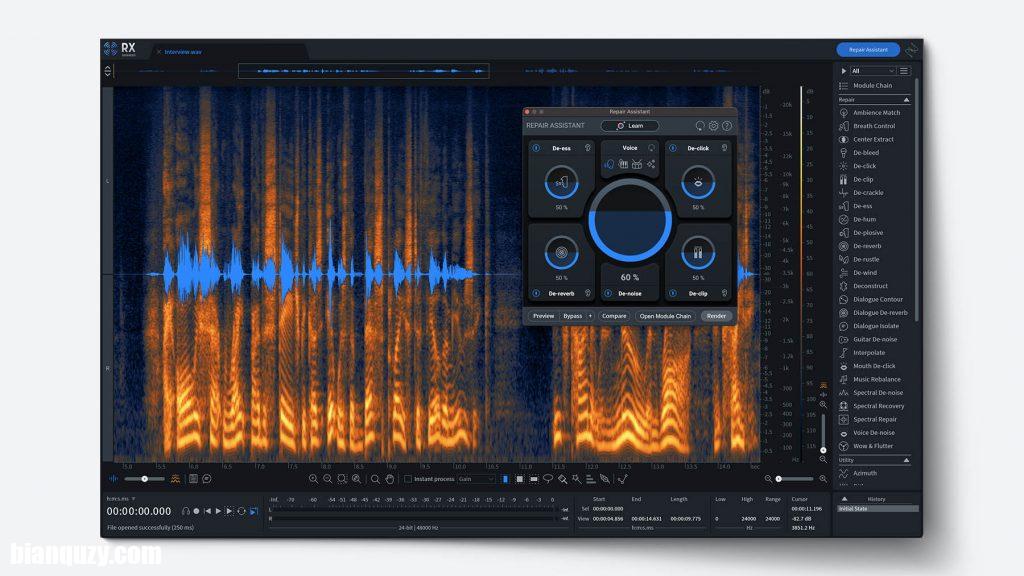
Boris FX CrumplePop is the ultimate audio plugin toolkit. Make your audio sound its absolute best with cutting-edge AI technology. It’s never been easier to take on common audio problems such as background noise, echo, traffic, wind, and more, as well as enhance voice quality for a professional finish. CrumplePop audio tools are simple to use if you’re a beginner and also powerful enough to meet the daily demands of audio professionals.
Plugin for removing plosive sounds from your videos and podcasts
Popping “p” and “b” sounds are common problems in podcasts and voiceovers. These plosive noises occur when a blast of air, such as your talent’s breath, hits the microphone. PopRemover intelligently targets and removes only the problematic plosive noise, leaving the voice intact.
Automatically remove rustle noise from lapel mics
Lapel microphone rustle noise is an everyday issue. It’s something you c?onstantly hear with collar mics if the speaker moves or brushes against the microphone. RustleRemover intelligently targets and removes only lav mic rustle noise, leaving the voice intact.
All CrumplePop audio tools in one simple desktop app for Mac and Windows
Echo, fan noise, mic bumps, electrical hum. Even wind noise. SoundApp removes problem noise in seconds.
Are some parts of your audio too quiet, while others are too loud? SoundApp sets all your levels for you. Just drop in your video or podcast, adjust some simple controls, and you’re done.
Plugin for removing echo and reverb from your videos and podcasts
Reverb is distracting and creates distance between the speaker and the audience. If your audio is recorded in a space with room echo, it can make your entire video or podcast sound unprofessional. EchoRemover by CrumplePop automatically removes room echo from your audio, leaving voices sounding clear and natural.
Automatically remove hiss, background noise, and hum from your audio
AudioDenoise allows you to remove noise that would be impossible to tackle with other plugins. Complex noise – like an air conditioner with 60-cycle hum – just melts away. And thanks to our brand-new AI, voices are left sounding clear and natural.
Plugin for removing car traffic noise from videos and podcasts
Recording your interview, podcast, or vlog outside can present challenges like dreaded traffic noise. Even when you record audio inside, traffic noise from an open window can add distracting background noise levels. TrafficRemover intelligently identifies and removes car, bus, and truck traffic noise.
Automatically remove wind noise
Wind noise is a notorious problem. Any time you shoot video or record audio outdoors – even if you’re using a physical windscreen mounted on the mic – a small amount of wind can ruin your audio. WindRemover intelligently targets and removes only wind noise, leaving the voice intact.
System Requirements: Windows 10/11 64-bit (32-bit isn’t supported)

![创意混音和母带处理可视化工具合集 Orra Audio Plugins Bundle 2026.10 [WiN]](http://www.bianquzy.com/wp-content/uploads/2026/10/Orra-Audio-45ce505d.png)