File size: 1.2 GB
从笔记本电脑或控制器触发循环与乐句
以前所未有的方式操控音频
极致的速度与节拍控制
即时获取所有资源
增强的混音控制能力
清晰精准地编辑音频波形
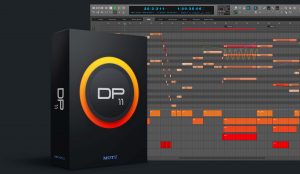
Introducing Digital Performer – artistry and engineering in elegant counterpoint. Exciting new plug-in processors, a powerful synth and many workflow enhancements headline this major new upgrade. Spark your creativity, then refine your mix — all in a singular workflow. DP version 10 delivers exciting new features like the Clips window and Stretch Audio, plus hundreds of included virtual instruments and dozens of workflow enhancements requested by DP users.
Trigger loops and phrases from your laptop or controller
The new Clips window brings loop triggering to Digital Performer. Drag and drop audio and MIDI clips from DP’s new Content Browser into the Clips window and trigger them in real time, interactively, for live performance or on-the-fly inspiration while creating new material. Trigger individual clips, multi-track clip groups (a partial row) or the entire row (clips across all tracks). DP’s unique clip queue lets you stack clip sequences ahead of time, so you don’t have to manually trigger each one. Dynamically add and remove clips from the queue, as inspiration strikes, from your laptop or any MIDI controller. The Clips window makes DP a live performance powerhouse, combining clip triggering with linear, track-based playback and live mixing. DP is now your one stop shop for creative studio production and live performance.
Manipulate audio like never before
From precision editing of individual beats to global tempo changes, Stretch audio lets you manipulate audio faster and easier, with more control than ever before. Grab an individual audio beat to adjust its timing. The new Stretch Edit layer lets you precisely control anchor points to achieve exactly the feel you want. For global tempo control, simply enable Stretch mode and the entire audio track instantly conforms to your project tempo and time line, even with smooth tempo changes over time. ZTX PRO™ technology from Zynaptiq™ ensures the highest possible audio quality throughout.
Ultimate tempo and beat control
Like magic, DP10’s Beat Detection finds the beats in your rhythmic audio, from individual loops to multi-channels stems to full mixes. Once beats are detected, you can fully manipulate them with DP’s new Stretch Audio feature and industry-leading tempo adjustment features. Instantly conform your audio to the project’s tempo and timeline. Apply tempo changes, even gradual ones that change over time. Drop loops into the Clips window, all completely in time with the rest of your music.
Instant access to everything
Get instant access to all of the resources you use to empower your creativity: virtual instruments, loops, clips, plug-ins… Whatever you need, it’s now right at your fingertips, just a drag and drop away. Use Search to quickly find material by name or text strings. The Content Browser will speed your workflow by tenfold.
Enhanced control for your mix
As with classic analog consoles of years past, VCA faders will revolutionize how you mix in DP. A single VCA fader can control any number of tracks, precisely maintaining their relative volume. Create as many VCA groups as you want. Control VCAs with other VCAs, to create multiple nested sub-groups. Apply mix automation to VCAs and sub-fader automation is maintained and scaled throughout. Achieving the perfect mix has never been faster or easier.
Edit audio waveforms with clarity and precision
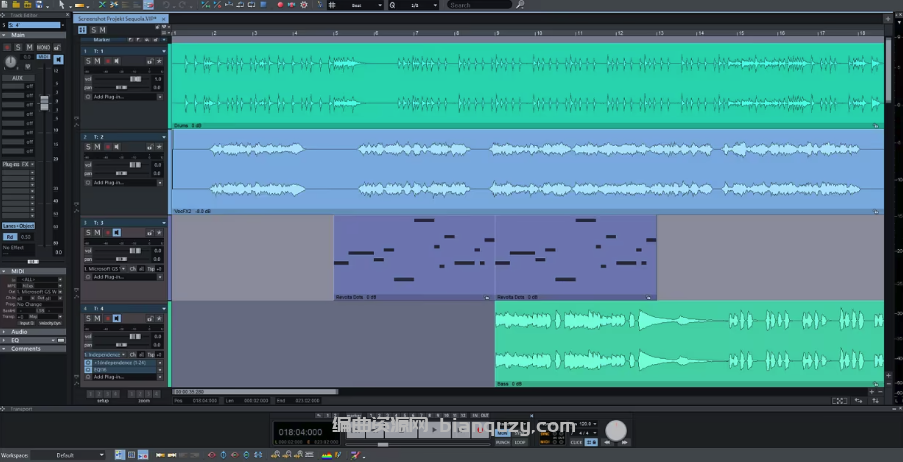
Digital Performer’s Waveform Editor is your all-in-one environment for down-to-the-sample waveform editing, precision beat editing, elastic audio stretching, pitch correction, embedded tempo maps and more. Choose an Edit Layer and go: menus and tools follow you. Zooming shortcuts abound. Revel in the precision and clarity the Waveform Editor affords your engineering eye.
Homepage