Team BATs | 08 November 2025 | 357 MB
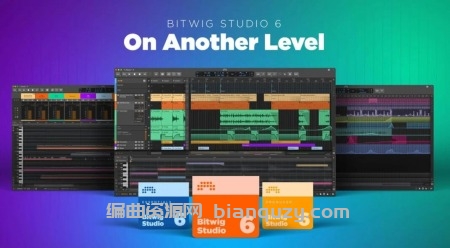
On Another Level
Bitwig Studio 6 takes a big step up, improving and expanding on the core DAW functions that you use every day. This major update brings you fresh and faster ways to work that will feel familiar. You’ll notice the difference right away: Bitwig Studio’s looks have been improved, and the visual interface is now easier to adjust to your needs. There are also countless changes under the hood, large and small.
Automation Editing Is More Powerful Than Ever
Bitwig Studio 6 brings an extensive upgrade to automation editing, starting with two new ways to access your curves. Pressing [A] switches to Automation Mode, overlaying each track with the parameter you last touched, or any other single lane you choose. Or reach for the Detail Editor Panel, where you can now access all automation for any track. Use these alternate editors to keep the Arranger clean, or to get a new perspective on how different tracks relate to one another.
Introducing Automation Clips
Automation can be just as important as audio and notes, and now Bitwig treats it that way. Working with automation in clips makes intuitive sense. All the clip features you know are there. Set looping and independent start times, slide the clip contents in time, stretch your automation clips, use clip aliases, and more.
Clip Aliases: Repeat After Me
Brand new in Bitwig Studio 6, clip aliases are a way to create structure and sequence in your music. Instead of duplicating a clip across a track, try dragging it as an alias. This means the clips will have a shared fingerprint – what we’re calling their pattern. When you edit one, all clips sharing that pattern will be updated, and other clip settings remain unchanged.
Guide Your Notes With Key Signature
Alongside tempo and time signature, your project now has a key signature to help guide your work with notes. You can see the scale when you work in the Piano Roll, and use Snap to Key [K] to make your editing gestures harmonious. Combine this with the Pencil tool – or when painting a stream of notes with the new Spray Can tool – for speedy creation that’s always in key. Or use the Quantize to Key function to snap existing notes or clips to your chosen scale.
Sharper Looks for a Smoother Flow
You’ll notice it as soon as you open the software: Bitwig Studio 6’s looks have been improved. We’ve made the interface smoother to navigate and easier to customize to your needs.
Editors That Give You More
In Bitwig Studio 6, the editors let you see and do more, from small scale to the big picture. Expression editing is now a more powerful way to work on fine details. Micro-pitch curves were always shown on top of notes, but now gain, pressure, and other expressions can be edited directly on the notes (or audio) too. All expressions are also available in the folded Drum/Hybrid editor. Not to mention that the new automation gestures have come to expression editing as well.
And on, and on
Bitwig Studio 6 brings plenty more improvements, large and small. In addition to the Spray Can, which creates a row of notes at the current beat interval, a new Audition tool lets you directly preview any track or clip. And when working with notes, there is now a Step Input tool for quick, intuitive entry. It even supports multi-note input.