Languages: English
File Size: 484.71 MB
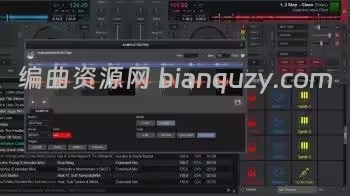
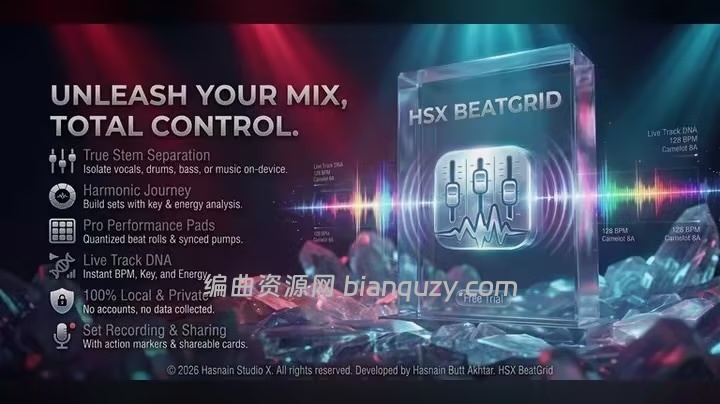
HSX BeatGrid — 本地 DJ 混音工作站,完全在 PC 本地运行。加载你自己的音乐库,多打碟机混音,并且本地录制 Set。曲目、素材库与录制文件永远不会离开本机。
核心功能
- 双碟混音,支持交叉推子 Crossfade
- 读取本机本地音乐库
- 直接将混音 Set 录制保存至硬盘
- 无云同步、无需注册账号
适用人群
面向剪辑师、音乐人,以及所有处理音频 / 视频素材、不希望文件上传至远端服务器处理的用户。归类在音视频工具,软件后台没有服务器用来上传你的素材。
设计理念:本地优先(Local-first)
市面上很多同类软件会把文件上传到服务器运算;HSX BeatGrid 完全不同。 全部运算在本机 CPU/GPU 完成,你的文件始终留在原位置。断网状态下软件依旧可以正常工作。 这不是一个可选开关,而是底层架构设计;无需注册账号,也没有订阅制。详细说明可查阅隐私政策。
系统要求
Windows 10、Windows 11
Local DJ mixing studio. A DJ mixing studio that runs entirely on your PC. Load your own library, mix across decks and record your sets locally. Tracks, library and recordings never leave the machine.
What HSX BeatGrid does
– Twin-deck mixing with crossfade
– Reads your own local music library
– Record sets straight to disk
– No cloud sync, no accounts
Who it is for
HSX BeatGrid is built for editors, musicians and anyone who works with sound or footage and does not want it uploaded for processing.
It sits in the audio & video part of the catalogue, and your files never leave the machine to be processed. There is no server behind HSX BeatGrid to send them to.
Local-first, by design
Plenty of the alternatives send your files to a server to be handled. HSX BeatGrid does not. Processing runs on your CPU or GPU, and the files you point it at stay where you put them. The application keeps working with the network switched off.
That is not a setting you enable, it is how HSX BeatGrid is built, which is why there is no account to create and no subscription to lapse. Full detail is in the HSX BeatGrid privacy policy.
System Requirements
Windows 10, Windows 11