GUISEPPE | 20 July 2026 | 15 MB
只为冲突频段让出空间,其余频率分毫不动
混音掩蔽痛点解决原理
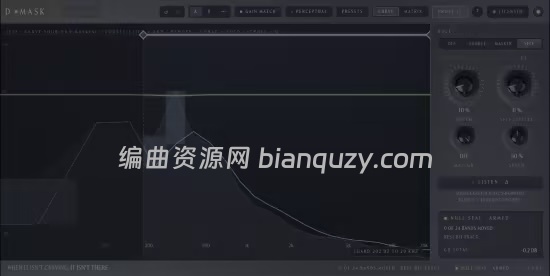
D・MASK 基于24 个 ERB 人耳听觉临界频带运算,贴合人耳真实听觉分辨逻辑,只在发生掩蔽的频段精准开槽,不做多余处理。
底层算法特性:未触发衰减的频带,输出信号与输入比特级完全一致,零染色、零多余损耗。
核心调节参数
- Depth(开槽深度):控制掩蔽频段衰减幅度;
- Max GR(最大增益衰减上限):给单频段衰减设置硬性 dB 天花板,编曲乐器变少后不会过度挖空音色;
- Speed(释放速度):冲突消失后恢复原音色的快慢;乐器密集场景调快,舒缓编曲调慢获得顺滑过渡;
- Priority(优先级):设定两条轨道谁保留完整音色、谁做避让衰减;
- 4 组 Bell 曲线:手动定点微调冲突频段,补充自动开槽精度。
三大核心产品优势
1. 极致透明,效果可核验
- 旁路无处理时比特级无损,无任何音色改变;
- 响度匹配盲听 A/B 对比,客观判断处理效果;
- Listen 监听模式:单独播放插件衰减掉的频段,直观看到挖掉了哪些声音;
- 支持保存两组开槽预设,一键切换,参数随工程文件保存。
2. 心理声学智能开槽(Perceptual 模式)
本就互不干扰的频段完全不做处理,柔和铺底音色不会像失真吉他一样被过度开槽。
官方实测 STI 语音清晰度测试:同等音色损耗下,人声清晰度提升 63%。
3. 全局矩阵视图,一键管控全工程
无需跳转轨道,在总面板即可设置音色优先级、调节开槽深度、单独监听掩蔽衰减残留,批量管理全曲频段避让关系。
四种工作模式
- Source:保护目标轨道,让掩蔽轨道自动避让;
- Masker:作为掩蔽声源,被目标轨道触发衰减;
- Self:单轨道自掩蔽清理,消除乐器自身频段堆叠浑浊;
- Perceptual:心理声学智能自动开槽模式(推荐)。
版本更新说明
规格与系统需求
插件格式
Windows:VST3(64 位)
支持单声道、立体声轨道
系统要求
核心运算规格
授权与试用
- 一次性买断 39 美元,单授权激活两台设备,无订阅费用;
- 5 天全功能免费试用,无需注册账号、绑定信用卡,全部功能无锁定。
官方主页
Make space. Change nothing else.
A linked, cross-channel un-masker. Drop it on the track you want to protect and the one that’s burying it. It clears the frequency overlap where they clash, only there, and proves, band by band, that it touched nothing else.
One sound is burying another. Un-bury it.
That’s masking: the synth eats the vocal, the bass swallows the kick. D·MASK carves a pocket for one track inside another. It moves only where they clash.
The carve is perceptual, across 24 ERB critical bands, the spacing your ears actually use. And it’s algebraic: when a band isn’t being carved, the output equals the input, to the bit.
How far it goes stays yours. Max GR puts a hard ceiling in dB on any single band, so nothing gets gouged when the arrangement thins out, and Speed sets how quickly the carve lets go: tighter on busy material, slower for a smoother trail.
Move across the graph, the carve follows the clash, flat everywhere else.
01 · Honest
It proves it.
When a band isn’t being carved, the output equals the input, bit-exact. A loudness-matched blind A/B lets anyone judge the change, and a Listen mode solos exactly what was removed. Set up two versions of a carve, flip between them instantly, and they save with the project. No faith required.
02 · Perceptual
It knows when to stop.
The carve works across 24 ERB critical bands, the spacing the ear actually uses. Perceptual mode then builds the real masked threshold from the masker and cuts only as deep as it takes to lift the source above it, not a dB more. A band that already clears the threshold is left completely untouched, and a smooth pad no longer gets carved like a distorted guitar. In our STOI testing across real multitrack sessions: +63% more intelligibility for the same collateral damage.
03 · Session-wide
It sees the whole mix.
A Matrix view lines up every D·MASK in the session in one window, each protected source and the maskers ducking for it. The one view a per-track plug-in can’t show.
Whats new in this version
Official site does not provide any info about changes in this version.
System Requirements
macOS 10.13 or newer
Apple Silicon / Intel
![创意混音和母带处理可视化工具合集 Orra Audio Plugins Bundle 2026.10 [WiN]](http://www.bianquzy.com/wp-content/uploads/2026/10/Orra-Audio-45ce505d.png)