File size: 317.6 MB
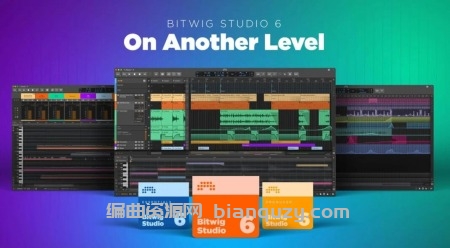
Bitwig Studio 6 实现了重大跨越,对您日常使用的核心 DAW(数字音频工作站)功能进行了完善与拓展。这一重大更新带来了既熟悉又新颖、更高效的工作方式。您将即刻感受到显著变化:Bitwig Studio 的界面视觉已焕然一新,且视觉界面现在更易根据您的需求进行调整。此外,软件底层还有无数大大小小的优化与改进。
这一切始于对自动化编辑(Automation Editing)的全面升级,涵盖了从更流畅的编辑手势到“扩散(Spread)”和“保持(Hold)”等全新行为的方方面面。您现在还可以直接在 Clip(音频/MIDI 片段)中处理自动化,解锁了符合直觉的全新创作可能。
Clip 别名(Clip aliases)提供了一种处理音乐重复与结构的新方法,而工程全局调性(Project-wide key signature)则能更好地引导音符创作。全新及改进的工具——如“喷涂罐(Spray Can)”和“试听(Audition)”工具——配合强化的表现力编辑(针对细节雕琢)与分层编辑(用于整体统筹),强强联合。所有这些变革,共同汇聚成您使用 Bitwig Studio 6 进行基础音乐创作时体验的巨大提升。
Bitwig Studio 6 takes a big step up, improving and expanding on the core DAW functions that you use every day. This major update brings you fresh and faster ways to work that will feel familiar. You’ll notice the difference right away: Bitwig Studio’s looks have been improved, and the visual interface is now easier to adjust to your needs. There are also countless changes under the hood, large and small.
It starts with an extensive upgrade to automation editing, which touches everything from smoother editing gestures to new behaviors such as spread and hold. You can also now work with automation in clips, opening up new possibilities that make intuitive sense.
Clip aliases offer a new way to handle repetition and structure in your music, while project-wide key signature helps guide your work with notes. New and improved tools, such as the Spray Can and Audition tool, join enhanced expression editing – for the fine details – and layered editing, for big picture work. All of these changes add up to a big improvement in the way you use Bitwig Studio 6 for fundamental music-making tasks.